First launch
When no project is open, TruckPaint shows its home screen. It is where you start a new livery, open one you saved, or pick up recent work.
The home screen
Section titled “The home screen”The home screen holds:
- New Project, the main button, which starts a new project (Ctrl+N, ⌘ on macOS);
- Open Project…, which opens a
.truckpaintfile you saved (Ctrl+O); - Recent projects, one card per project you opened, the most recent first;
- Preferences, at the top right.
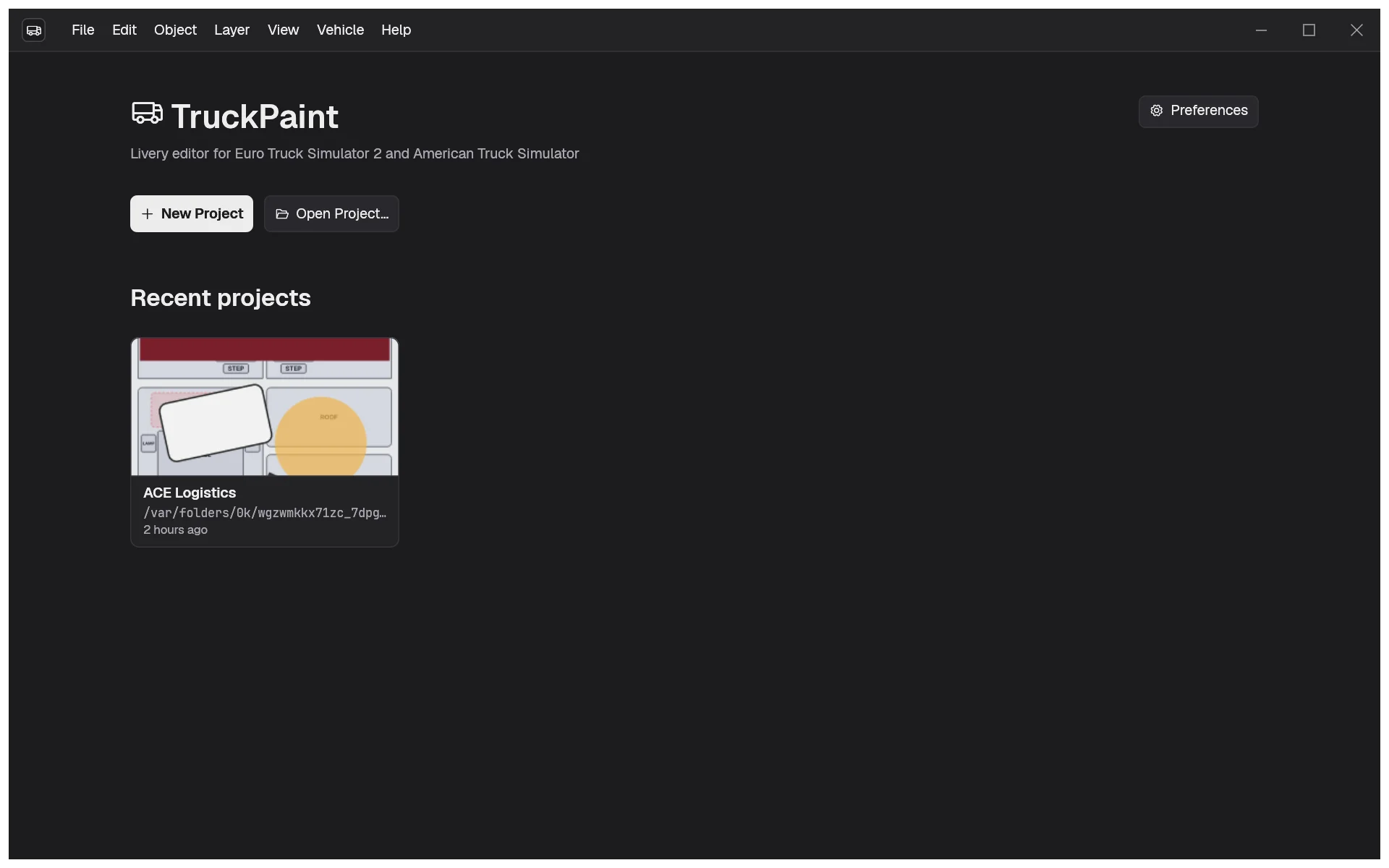
The first time, the recent projects area is empty and offers Create Your First Project, which does the same as New Project. To create your first project now, go to Create your first project.
Reopen recent work
Section titled “Reopen recent work”Each recent project card shows a thumbnail of the project’s first main texture, its name, where its file is and when you last opened it. Click a card to open the project.
When a project’s file was moved or deleted, its card is marked as unavailable and can’t be opened. Its remove button (Remove from list on hover) takes it off the list.
Choose your language
Section titled “Choose your language”TruckPaint speaks English, French, Spanish and German. At first it follows your system’s language, and falls back to English for any other language.
To pick another one:
- Open the preferences: Preferences on the home screen, Edit › Preferences… on Windows and Linux, or TruckPaint › Settings… on macOS (Ctrl+,).
- Under Language, choose a language. The whole interface switches at once, without a restart.
Choose System default to follow your system’s language again.
Adjust the interface
Section titled “Adjust the interface”The preferences also hold:
- UI scale and Text size, to make the interface and its text larger or smaller, with a live preview. Reset to defaults brings them back to 100%.
- Template packs, the folders of the template packs used to install the official vehicles, one per game. You set them the first time you pick an official vehicle: see Official vehicles.
- On Windows and Linux, Use the system title bar.
TruckPaint remembers your preferences, the size and place of its window, and your recent projects between sessions.